
Power BI & Power Apps Reporting: Complete Beginner Guide for Businesses
In today’s data-driven world, Power BI & Power Apps Reporting has become an essential tool for businesses that want to make smarter decisions. Whether you run a small business or a large enterprise, understanding your data is the key to growth.
This guide will help you understand what Power BI & Power Apps Reporting is, how it works, and how you can use it to improve your business performance.
Table of Contents
What is Power BI & Power Apps Reporting?
Power BI & Power Apps Reporting is a combination of tools that help you visualize data, automate workflows, and build custom business applications.
- Power BI helps you create dashboards and reports
- Power Apps allows you to build custom apps without coding
Together, they create a powerful ecosystem where your data becomes easy to understand and act upon.
Why Businesses Need Power BI & Power Apps Reporting
Many businesses struggle with scattered data and manual reporting. This leads to slow decision-making and missed opportunities.
With Power BI & Power Apps Reporting, you can:
- Centralize all your data
- Automate repetitive tasks
- Get real-time insights
- Improve team productivity
Key Features of Power BI & Power Apps Reporting
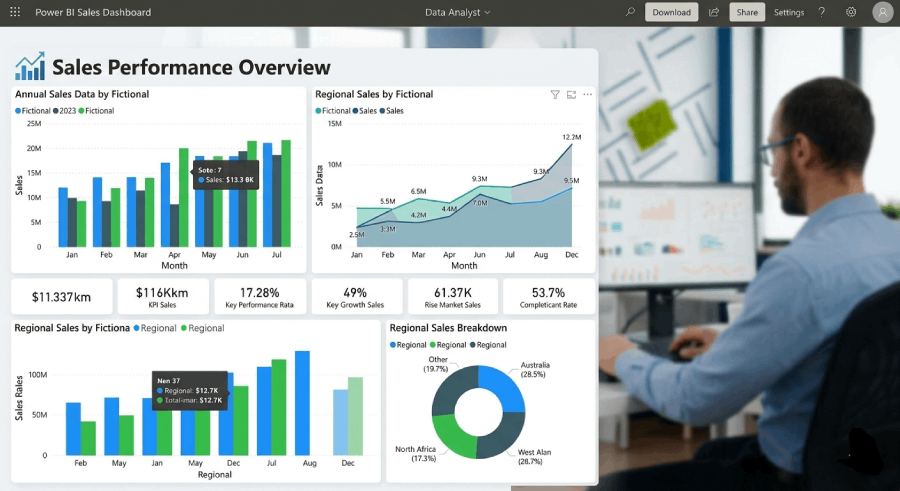
1. Interactive Dashboards
Visual dashboards with charts, graphs, and KPIs.
2. Data Integration
Connect Excel, databases, APIs, and cloud tools.

3. Automation
Reduce manual work using automated workflows.

4. Custom Business Apps
Create apps tailored to your business needs.
How Power BI & Power Apps Reporting Works
The process is simple but powerful:
- Collect data from different sources
- Clean and transform the data
- Create dashboards and reports
- Build apps for automation
- Use insights to make decisions
Real-World Use Cases
Sales Dashboard
Track revenue, performance, and trends in real-time.
HR Analytics
Monitor employee performance and attendance.
Inventory Management
Keep track of stock levels and automate alerts.
Benefits of Power BI & Power Apps Reporting
Using Power BI & Power Apps Reporting offers several advantages:
- Faster decision-making
- Better data visualization
- Increased efficiency
- Cost savings
- Real-time reporting
How to Get Started
If you’re new to Power BI & Power Apps Reporting, follow these steps:
- Identify your business needs
- Gather your data sources
- Start with a simple dashboard
- Automate one process at a time
- Scale gradually
External Resources
Check our service:
Power BI & Power Apps Reporting Services